
In the app, at once
Deleting your RevScen account
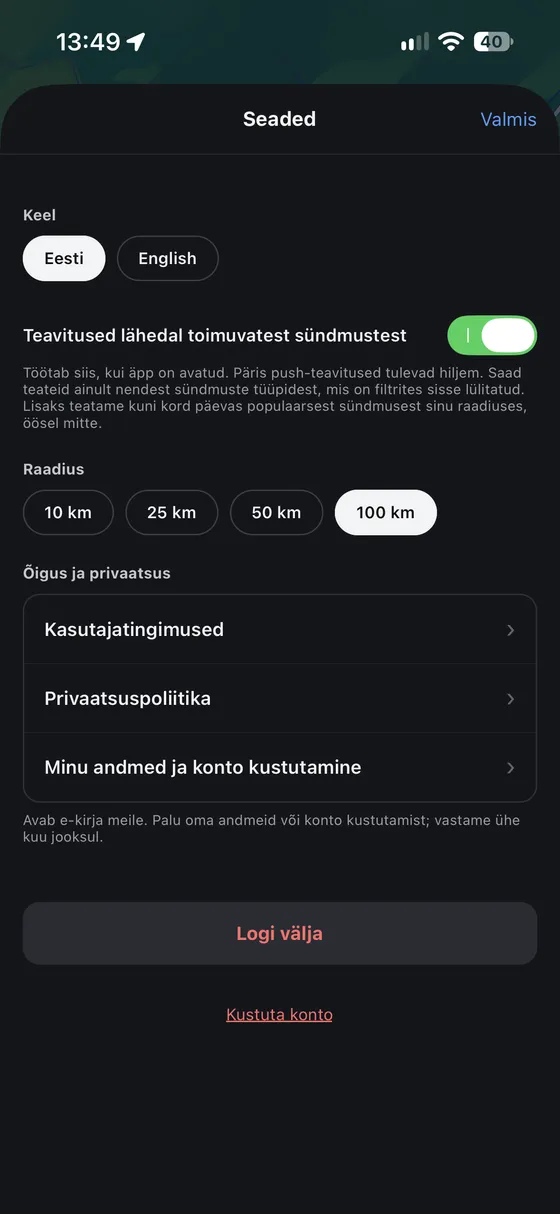
Open the app, tap the gear at the top right and then “Delete account” at the bottom. Confirm, and the account is deleted at once.
If you no longer have the app, write to us from your account’s e-mail address and we delete the account within one month.
What is deleted and what is kept
As the Privacy Policy says.
- Account and profileSign-in, name, e-mail and your acceptance of the Terms.Deleted at once
- Your eventsAll events you added, with their votes.Deleted at once
- Votes and marksYour “Like”, “Dislike” and “Called off” on other events.Deleted at once
- Event logKept up to 12 months without your name or e-mail, then we remove the account ID.12 months
- ReportsKept until the report is closed and for 12 months after.12 months